Overview
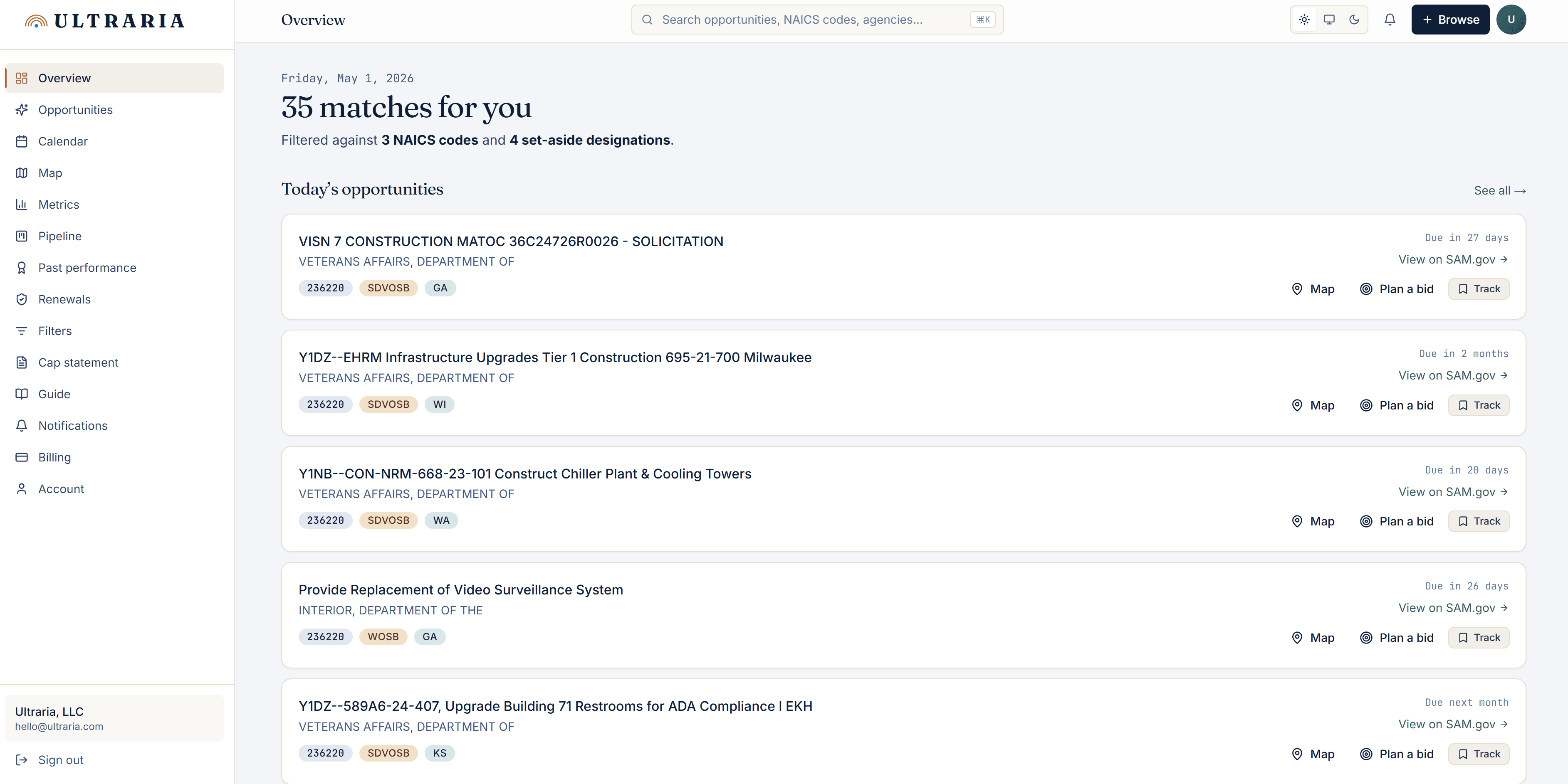
Today's matches, in one glance
Open Ultraria each morning to a clean count of new contracts matching your filters — NAICS, set-asides, geography, keywords. Triage list with the most urgent deadlines first. Every row links to the live SAM.gov listing and a one-click Track button drops it into your pipeline.
Map
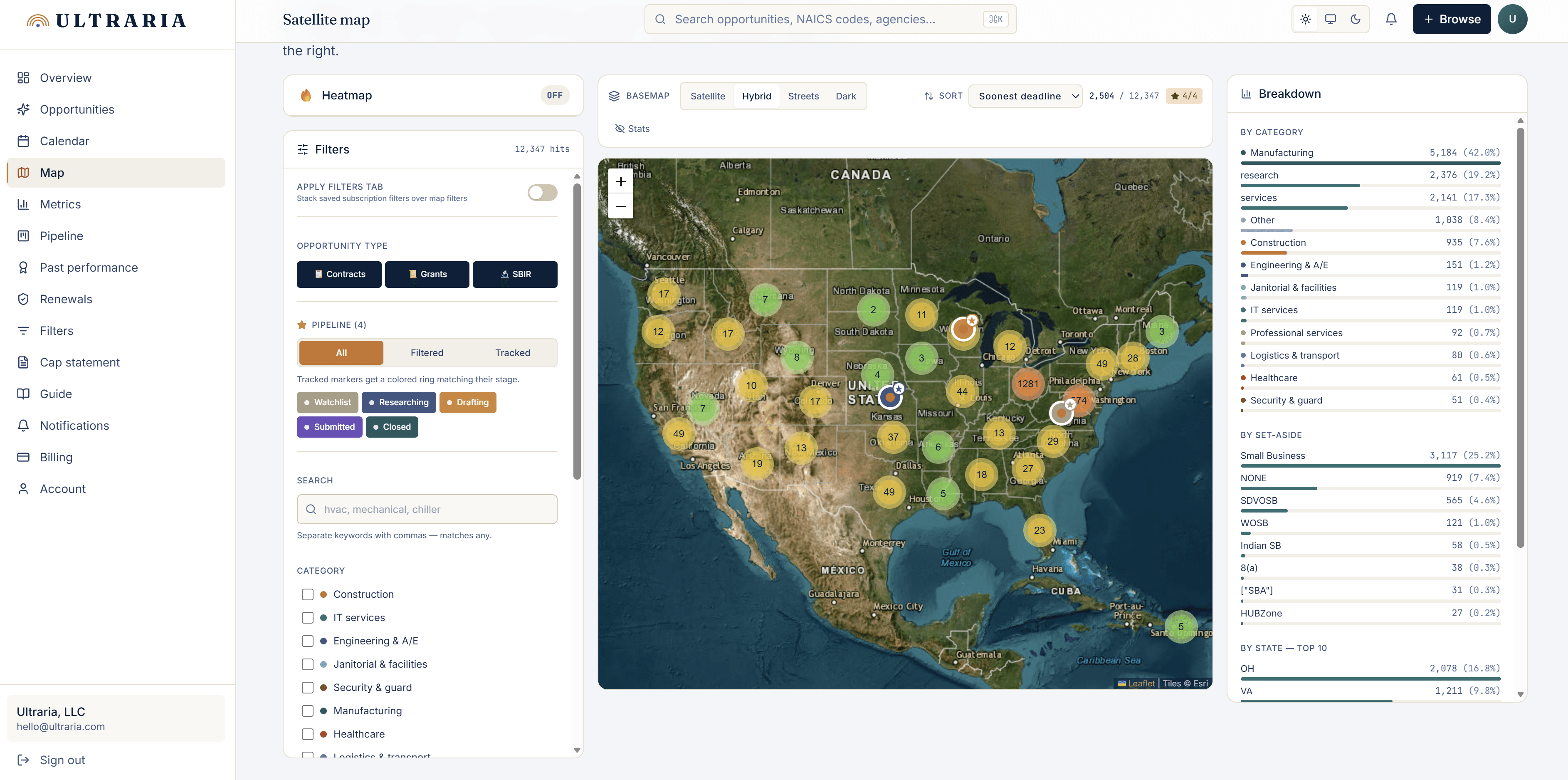
See where the work actually is
Every contract geocoded and clustered on a satellite basemap. Filter by NAICS category, set-aside, or state. Live breakdown of categories and small-business eligibility.
Heatmap mode
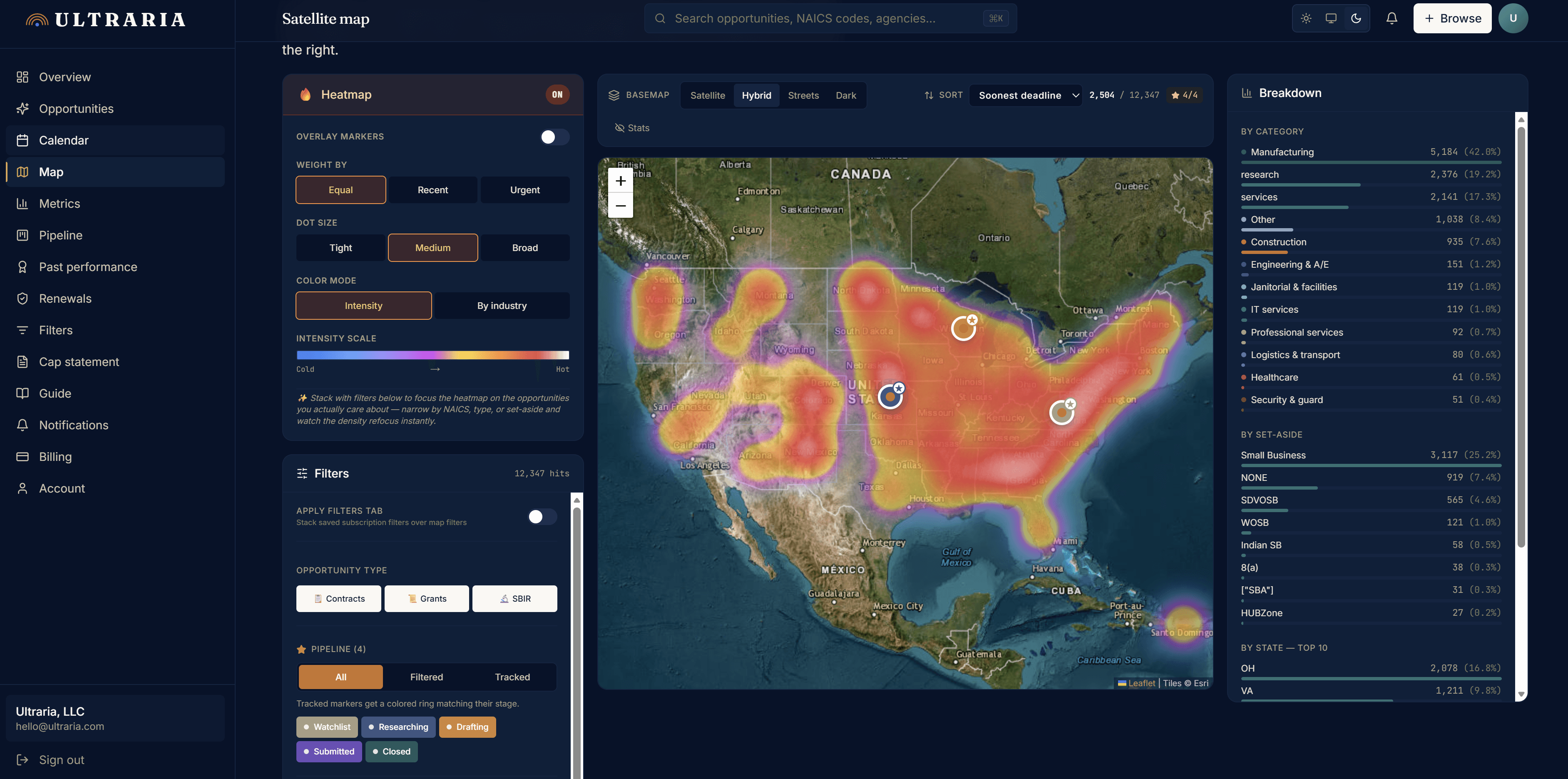
Density at a glance
Switch to the heatmap when you want the macro view — concentration of opportunities by region, weighted by recency or urgency. Dark basemap puts the copper / red intensity gradient in maximum contrast.
Calendar
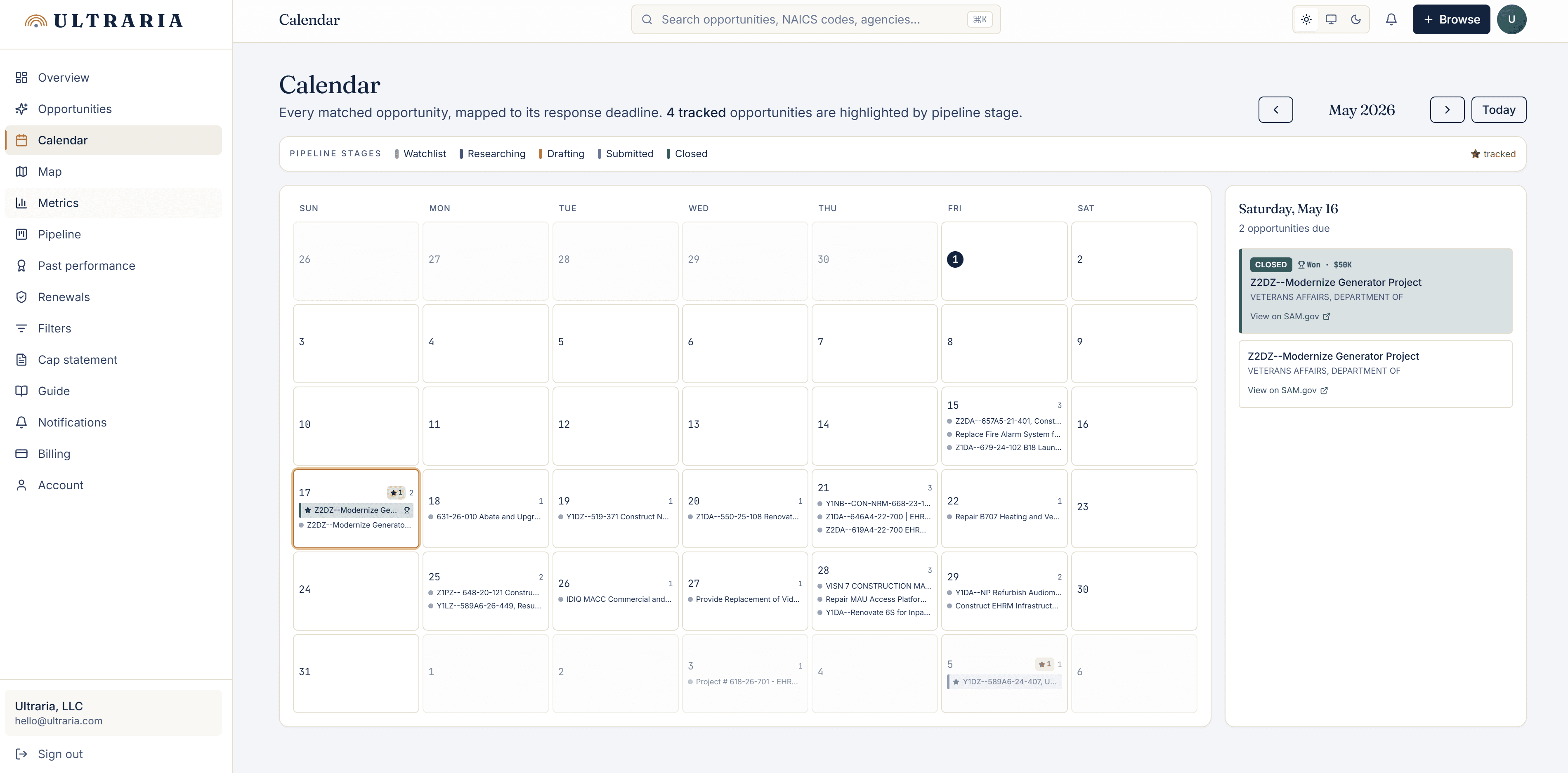
Every deadline on one page
Tracked opportunities plotted against response deadlines, color-coded by pipeline stage. Click any day for the full list, or any stage chip to filter the calendar to just the opportunities you’re actively working.
Metrics
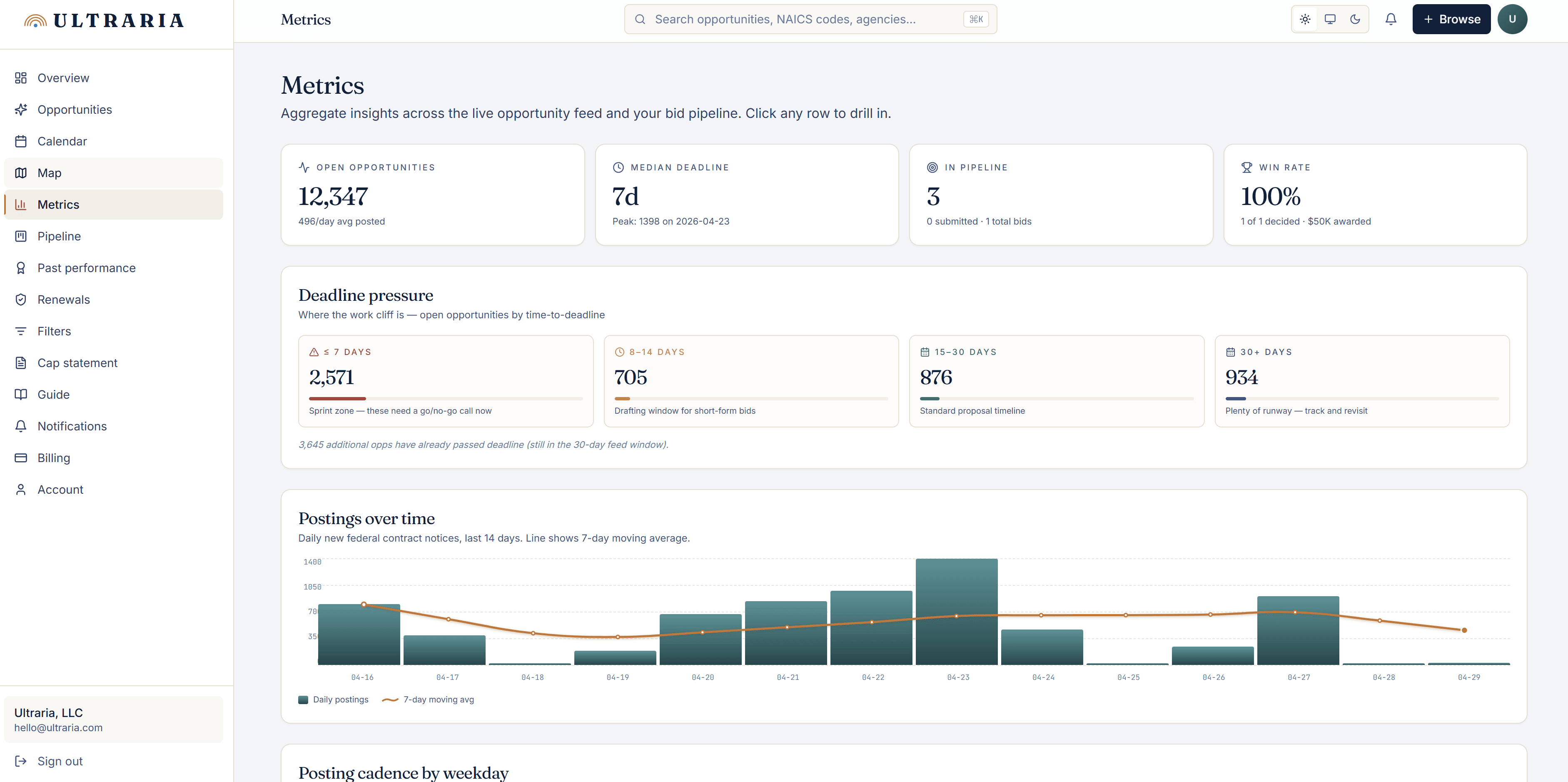
Win rates, deadline pressure, posting cadence
Aggregate insights across the live opportunity feed and your own bid pipeline. KPIs at the top, deadline-pressure buckets below, posting-over-time chart with a 7-day moving average.
Pipeline
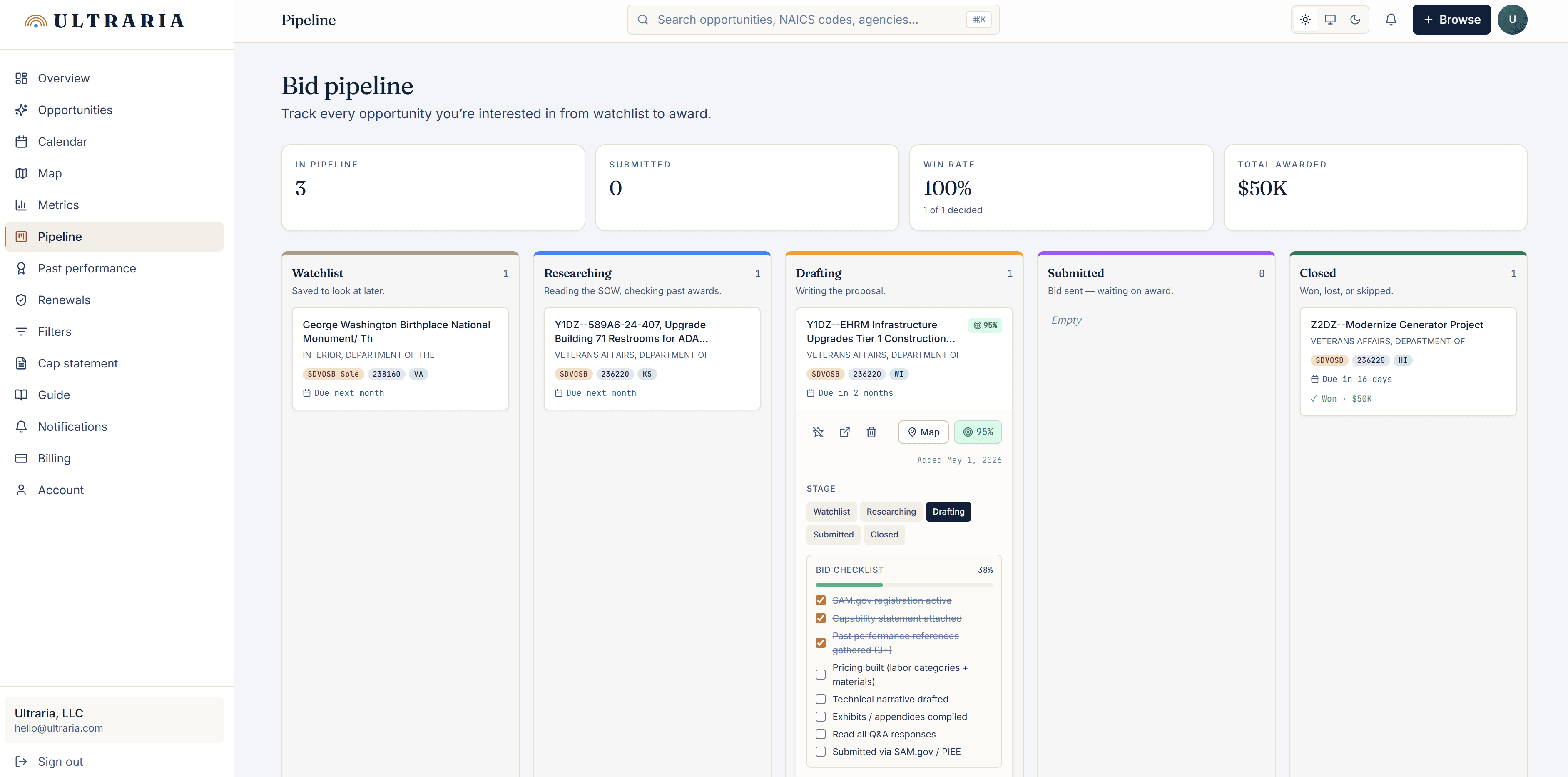
Track every bid you're writing
Kanban board for the contracts you’re actually pursuing. Five stages with a bid checklist on every card. Win/loss outcomes feed back into the Metrics dashboard so your win rate updates automatically.
Capability statement
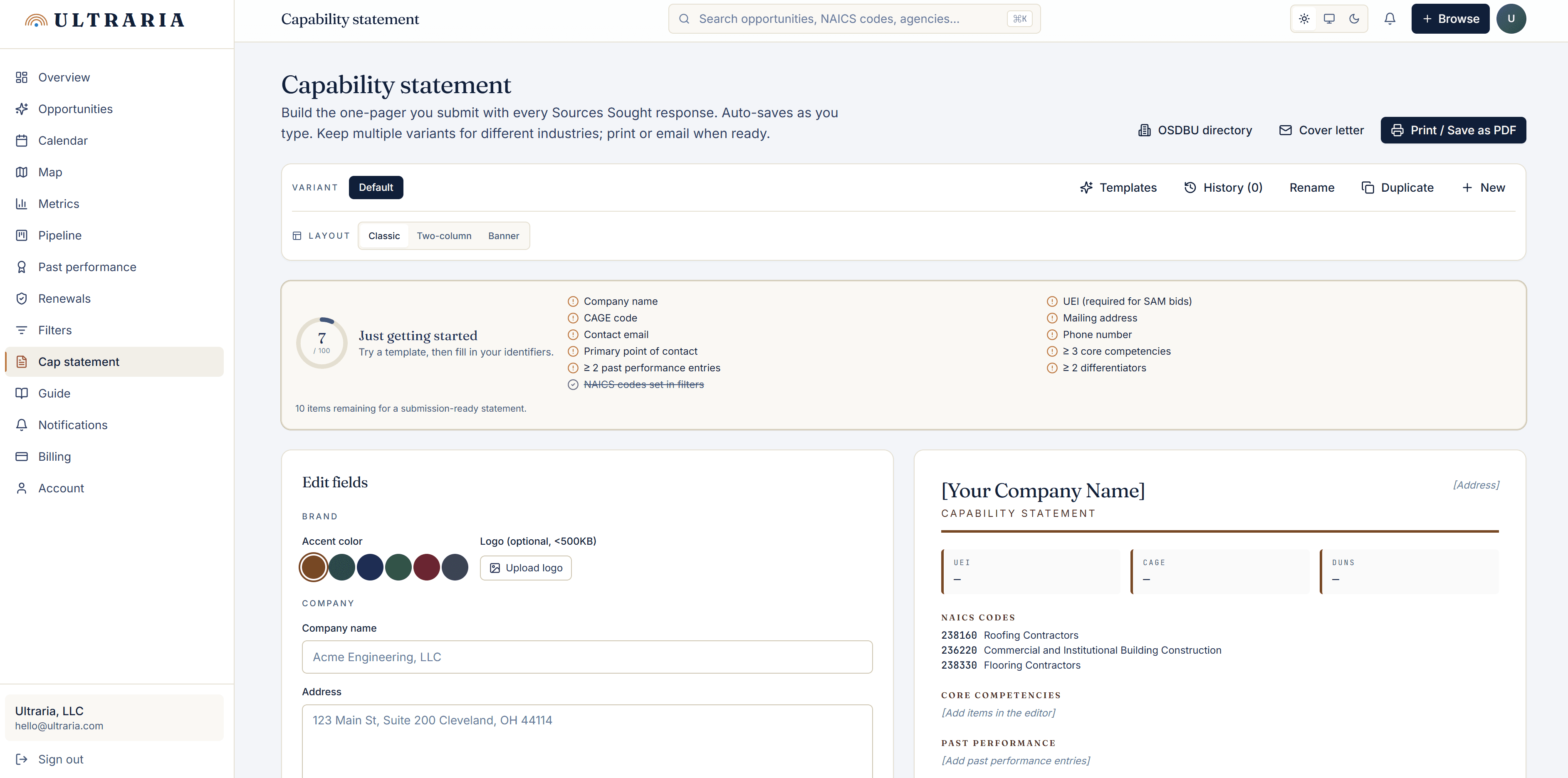
The one-pager every contracting officer asks for
Auto-saves as you type, supports multiple variants, prints to PDF in the layout federal procurement actually expects. Pulls your CAGE / UEI / NAICS from your subscription so you don’t retype them.
Guide
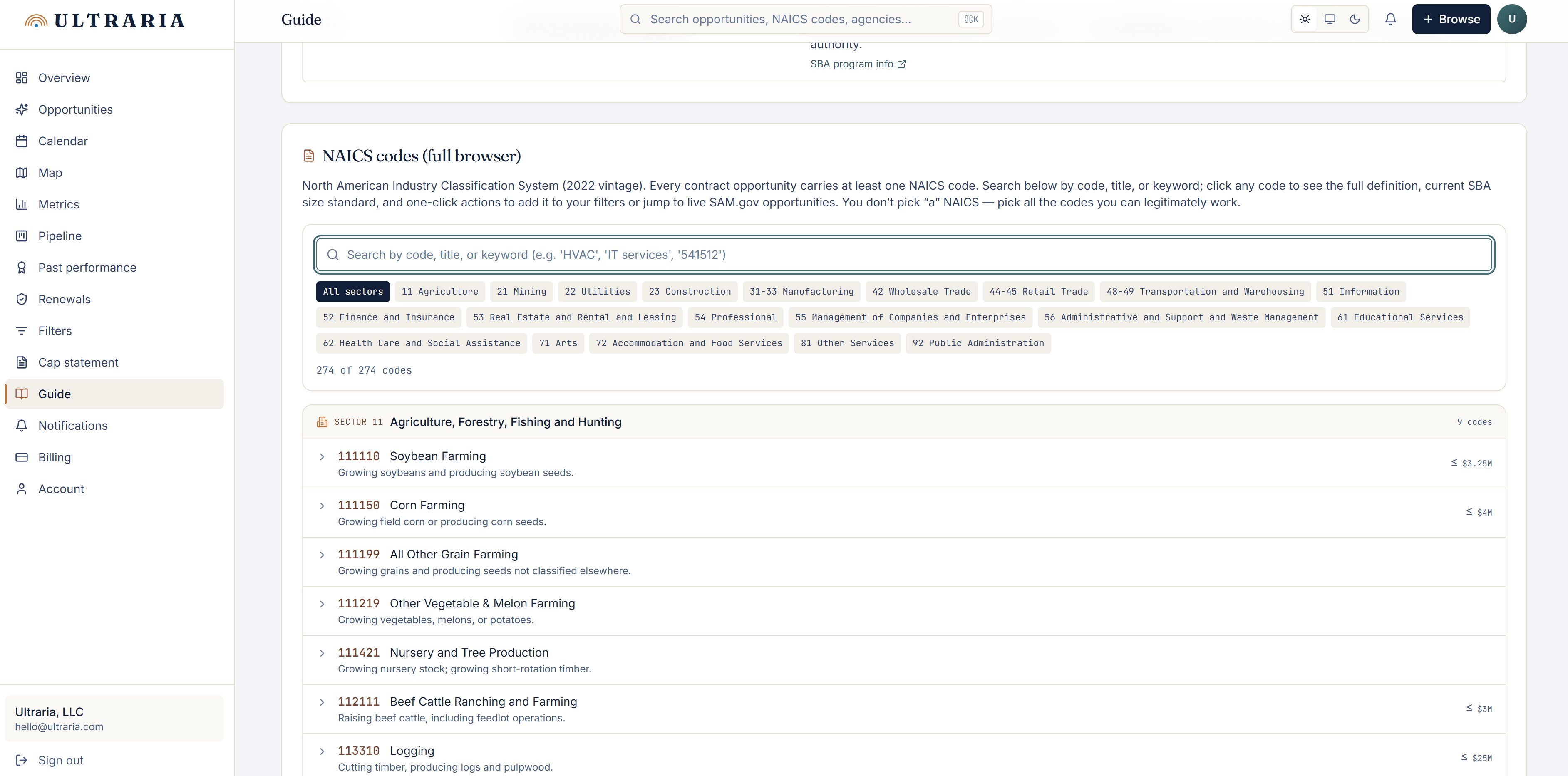
The full NAICS browser, searchable in a click
274 six-digit codes covering every industry. Search the full catalog by code, title, or keyword and jump straight to matching opportunities.